
Analytics Widget1.7.3 - Google Play
You'll be able to see results in few seconds.
Publisher Description
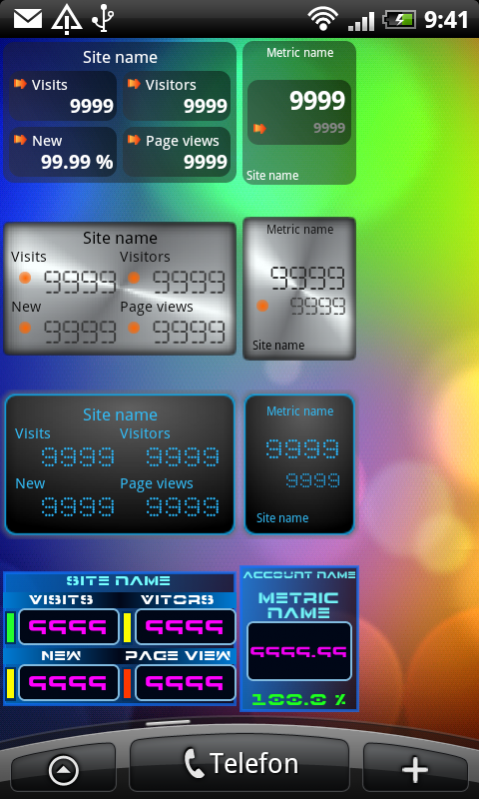
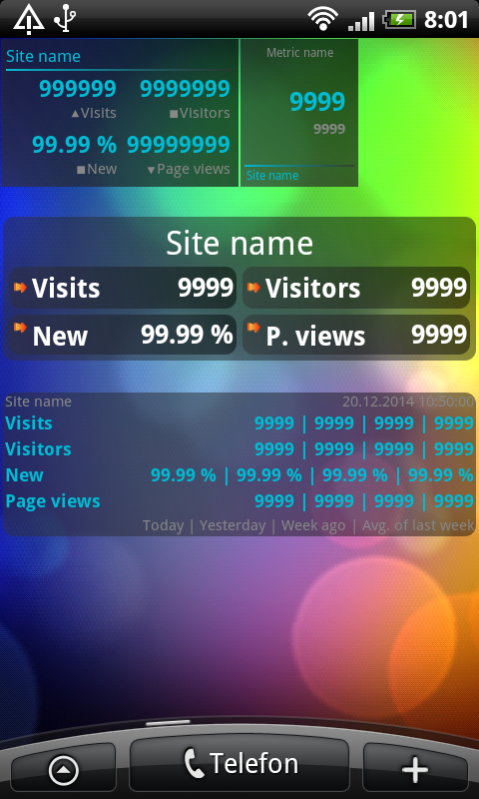
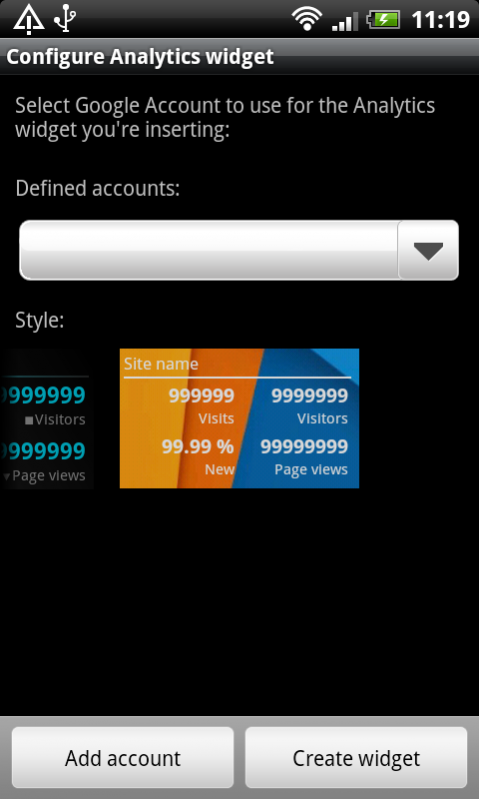
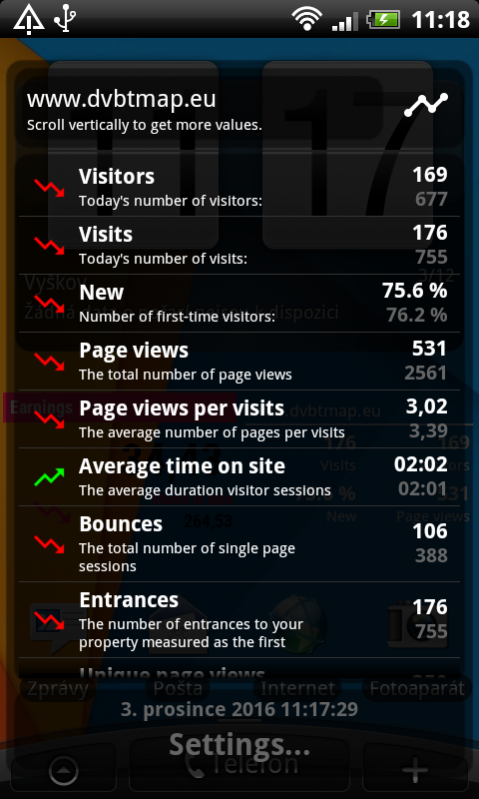
View your current Google Analytics™ statistics data on your Android™ smartphone. Basically:
It's easy to set up. Just a few simple steps to install your widget on your home screen. From your widget you can view daily statistics from one or several sites from your Google Analytics account.
You can choose between three beautiful themes and different layouts. This app is a complement to Google Analytics™ web page and not meant to be a full scale Android phone Analytics tool.
Basic metrics: visits, visitors, new vistos and page view.
Metrics for extended view: page views per visits, average time on site, bounces, entrances, unique page views, average time on page and visit bounce rate.
FEEL FREE TO CONTACT ME FOR ANY QUESTIONS OR IF YOU WANT TO REPORT BUGS. If the widget doesn't work on your device please let me know. PLEASE DON'T RATE IF ERROR OCCURRED, RATHER CONTACT ME ON MY EMAIL!!!
IMPORTANT NOTES:
Due to the limitation of the Android platform, widgets will NOT be available if widget is moved to SD card.
Description:
To protect your credentials, this widget is using account manager to get permission to access your Analytics account. After you have confirmed, you are ready to view your stats! It's possible to have more than one Google Account. One for Android and one for Analytics.
The number of widget is not limited. The widget has low memory requirements and low communication load with the server. Loaded data is shared between widget instances. There is no unnecessary contact the server from any widget instance.
To save space you can set up to view data from several accounts in one widget. For the 1x1 layout, selected accounts will share one widget area, alternating view data in regular intervals. The 2x1 widget will display the following four metrics: visits, visitors, new visits in percent and page views, all in one widget view.
Tap on bottom metric area to move to next site and top metric area to get site detail info. Here you will also be able to compare metrics with data from previous day(s). For data refresh, tap on site name.
When widget is loading data, "Loading data..." is displayed. Sometimes the widget will lose connection when loading. During such a drop in coms, the message "Loading interrupted. Android is offline ..." will show. When data is not available "No data for current day!" will show. The previous days data is dropped from view 45 minutes after midnight.
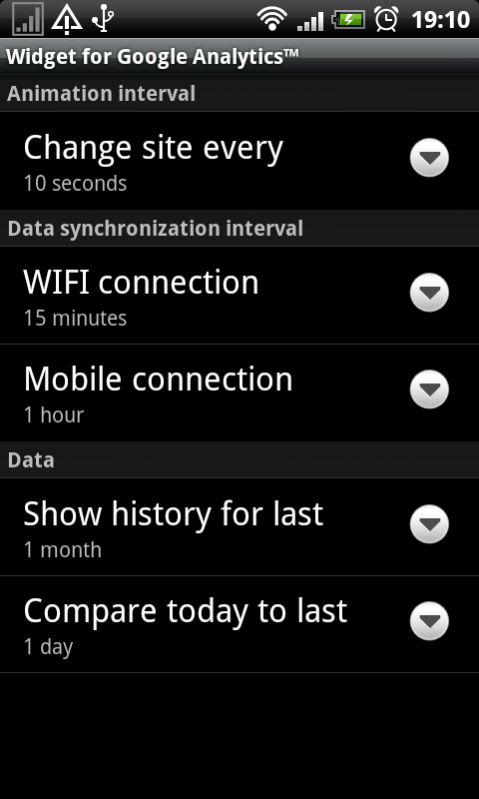
You can set up animation, data synchronization interval for WIFI and mobile connection on preference screen.
Don't worry the widget goes into sleep mode when screen is off, so no data synchronization or animations are performed during screen off, saving batteries.
Don't forget: when time ticks over to next day (12:00AM), current statistic will be empty and you'll see only the message "No data for current day!". This is because nobody have visited your site for the current day. It could take up to 15 minutes to show data.
To come into contact with us you can follow us on Twitter @cakebakeryeu
Keyword: Google Analytics Widget, analytics, widget
About Analytics Widget
The company that develops Analytics Widget is CakeBakery.EU. The latest version released by its developer is 1.7.3.
To install Analytics Widget on your Android device, just click the green Continue To App button above to start the installation process. The app is listed on our website since 2017-09-17 and was downloaded 0 times. We have already checked if the download link is safe, however for your own protection we recommend that you scan the downloaded app with your antivirus. Your antivirus may detect the Analytics Widget as malware as malware if the download link to cz.jprochazka.analytics.widget.pro is broken.
How to install Analytics Widget on your Android device:
- Click on the Continue To App button on our website. This will redirect you to Google Play.
- Once the Analytics Widget is shown in the Google Play listing of your Android device, you can start its download and installation. Tap on the Install button located below the search bar and to the right of the app icon.
- A pop-up window with the permissions required by Analytics Widget will be shown. Click on Accept to continue the process.
- Analytics Widget will be downloaded onto your device, displaying a progress. Once the download completes, the installation will start and you'll get a notification after the installation is finished.
Program Details
System requirements
Download information
Pricing
Version History
version 1.7.3
posted on 2017-09-17
Updated Analytics library to acccess data.
Fixed data loading problem.
version 1.6
posted on 2015-10-18
Fixed name by Google Play policy
version 1.4
posted on 2013-06-29
Several fixes and updates
Disclaimer
Official Google Play Link
We do not host Analytics Widget on our servers. We did not scan it for viruses, adware, spyware or other type of malware. This app is hosted by Google and passed their terms and conditions to be listed there. We recommend caution when installing it.
The Google Play link for Analytics Widget is provided to you by apps112.com without any warranties, representations or guarantees of any kind, so access it at your own risk.
If you have questions regarding this particular app contact the publisher directly. For questions about the functionalities of apps112.com contact us.
